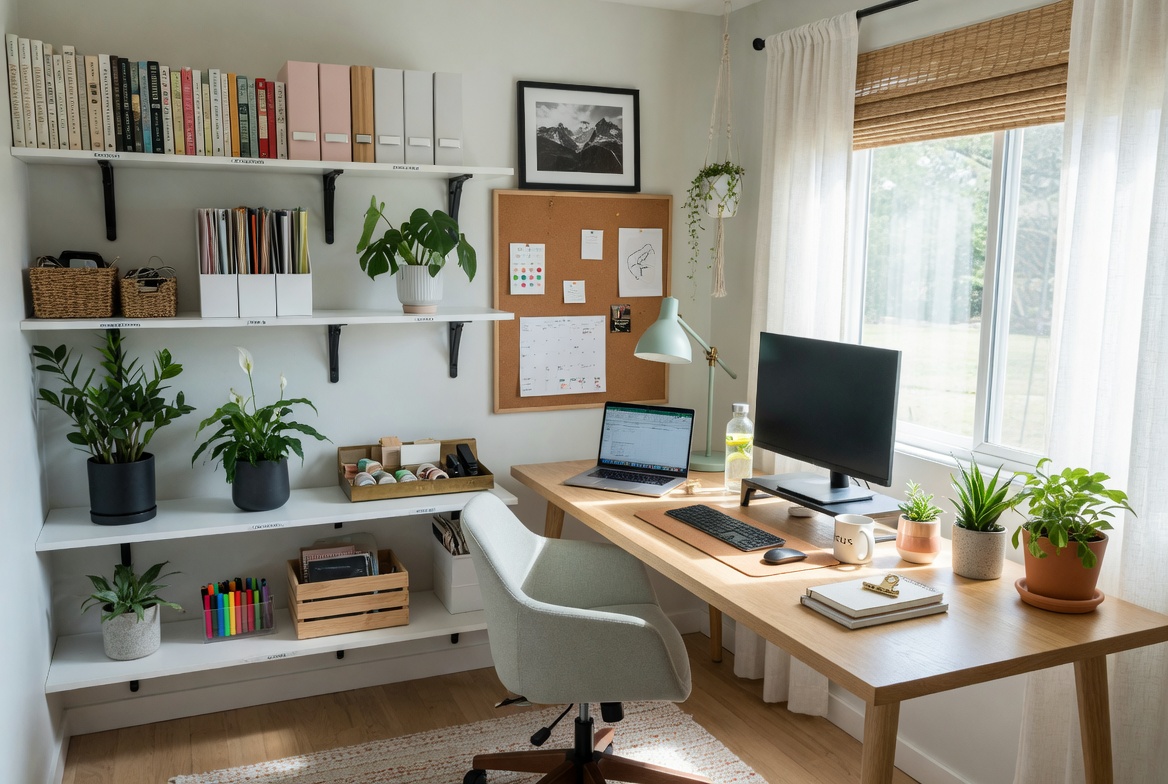
The home office has become one of the most important rooms in the house — and one of the least well-designed. Most home offices are assembled reactively: a desk moved from somewhere else, a chair bought for the price rather than the ergonomics, lighting that was never designed for desk work. The result is a space that’s technically functional but genuinely uncomfortable — one that makes sustained work harder rather than easier. A well-designed home office doesn’t require a dedicated room or a large budget. It requires honest decisions about light, ergonomics, storage, and the visual environment. These 20 ideas address each of those dimensions with specific, practical guidance.
1. Position Your Desk Near Natural Light
Best for: Any home office setup — this is the most impactful single positioning decision
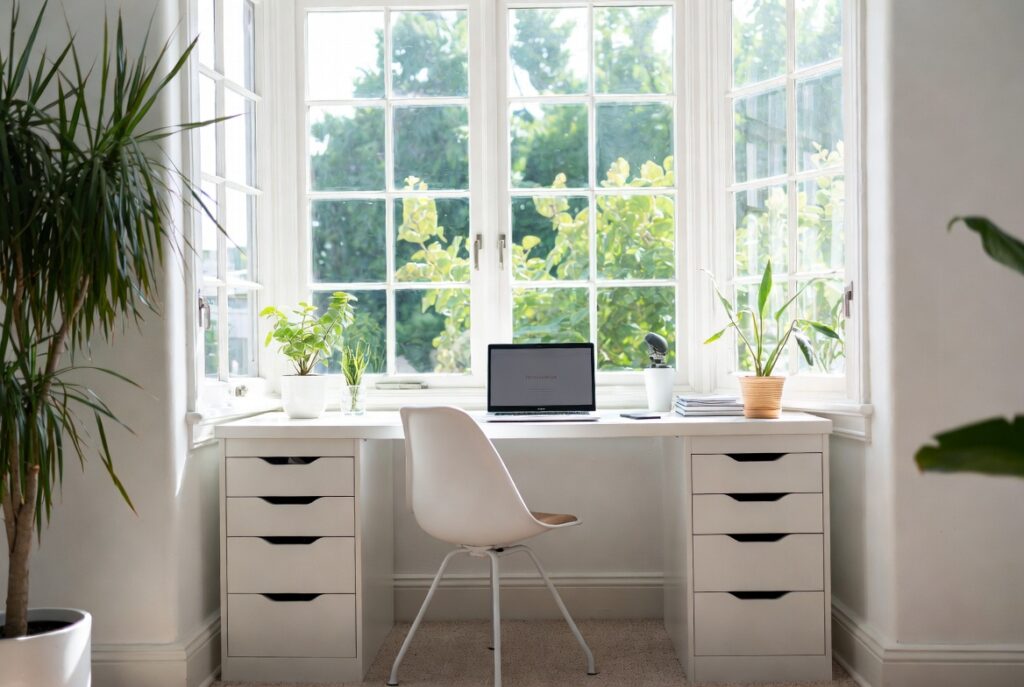
Natural light is the most productive form of lighting for sustained desk work. It reduces eye strain, improves mood and alertness, and provides the full-spectrum illumination that artificial light rarely replicates. A desk positioned near a window — ideally facing the window or with the window to one side — delivers these benefits throughout the working day.
The optimal desk-to-window relationship: the window to the side of the desk (left side for right-handed workers, right side for left-handed) provides natural light without direct glare on the screen. Facing the window provides light but can create glare on the monitor in direct sun. Sitting with your back to the window creates a bright background that makes the screen harder to read.
Smart tip: If the best natural light position creates glare on the monitor at certain times of day, install sheer blinds or a diffusing window film rather than eliminating the natural light entirely. Diffused natural light is better than no natural light at any time.
Mistake to avoid: Positioning the desk with a bright window directly behind the monitor. The high contrast between the bright background and the dark monitor creates eye strain that accumulates over a working day. Position the brightest light source to the side, not behind the screen.
2. Invest in an Ergonomic Chair
Best for: Anyone spending more than 2 hours per day at a desk — this is the highest-priority investment in any home office
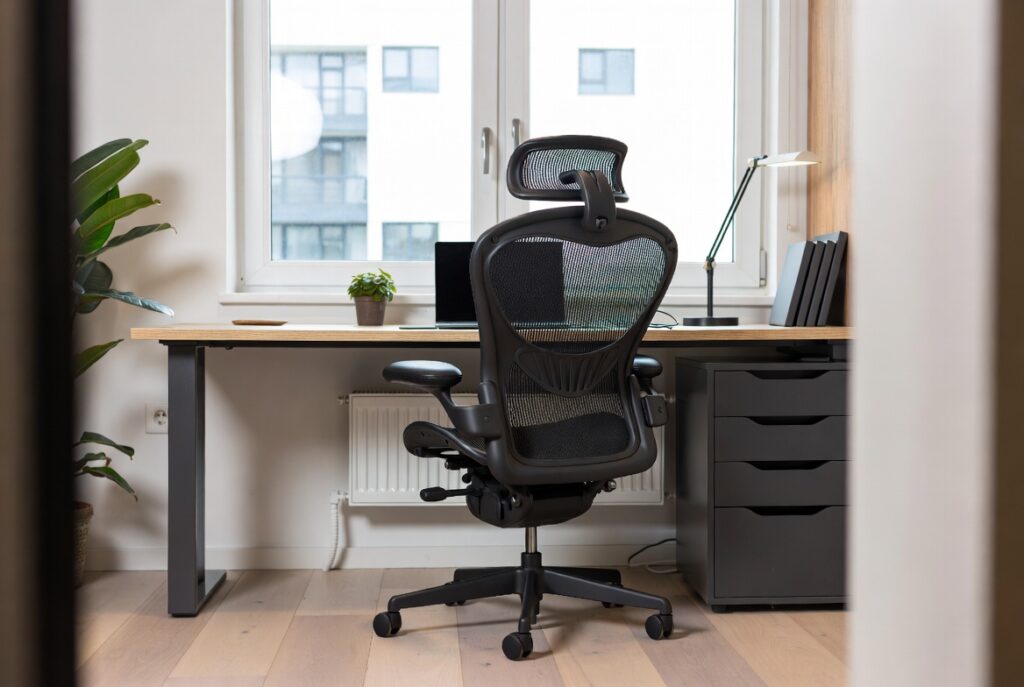
An ergonomic chair is the most important purchase in a home office because the consequences of a poor one — back pain, poor posture, reduced concentration — compound across every working day. A chair that’s genuinely comfortable and properly adjusted makes sustained desk work measurably more productive and prevents the physical discomfort that becomes a constant background distraction.
The key adjustments that an ergonomic chair must provide: seat height (feet flat on the floor, knees at approximately 90 degrees); lumbar support (positioned to support the natural inward curve of the lower back); armrest height (elbows at approximately 90 degrees when hands are on the keyboard); and seat depth (2 to 4 inches between the back of the knee and the seat edge).
Smart tip: Adjust the chair before adjusting anything else. Many people sit in an ergonomic chair at the wrong height or with lumbar support in the wrong position and then conclude the chair is uncomfortable. A 10-minute proper adjustment often transforms how a chair feels and performs.
Mistake to avoid: Buying the cheapest chair available and expecting adequate support. Chair comfort is not a feature that scales proportionally with price at the lower end — very cheap office chairs provide very little meaningful support. The minimum investment for a genuinely ergonomic chair that supports sustained work is typically $200 to $300. Below this level, the differences between chairs are primarily cosmetic.
3. Choose the Right Desk Size and Style
Best for: Anyone setting up or reconsidering their home office desk — desk size determines how work actually happens
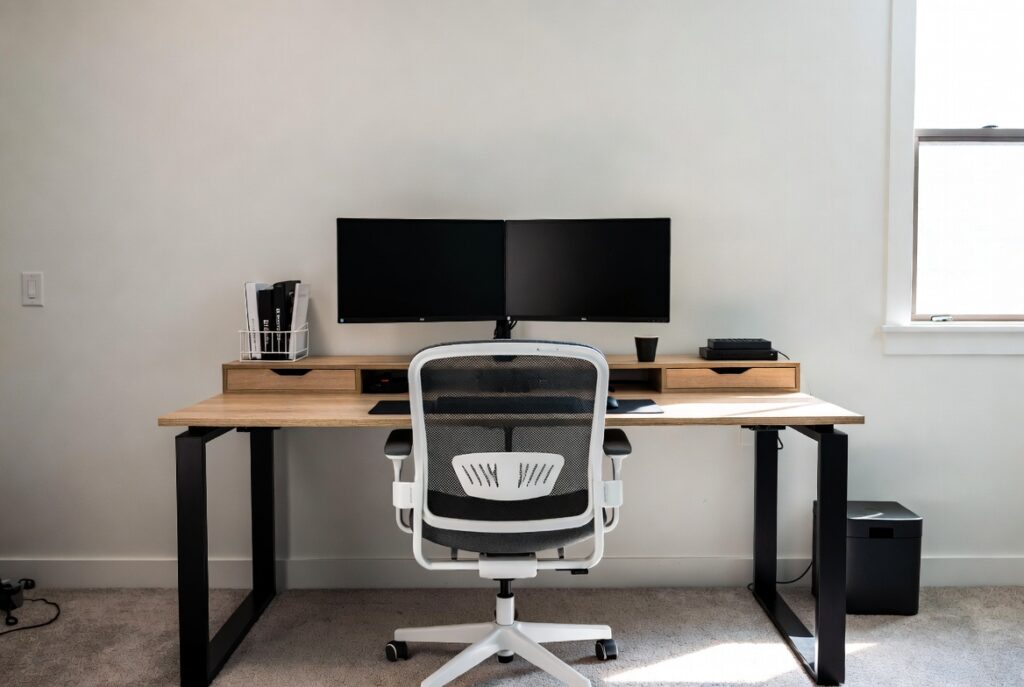
The desk is the primary work surface and its size determines whether daily tasks are comfortable or cramped. A desk too small for the actual work creates constant friction — items moved to make room, papers stacked because there’s nowhere to lay them flat, equipment arranged awkwardly because the surface can’t accommodate everything simultaneously.
The minimum comfortable desk size for most computer-based work: 55 inches wide by 24 inches deep. This allows a monitor (or two), a keyboard, a mouse, and a small area of clear surface for reference materials or a notepad. Anything narrower creates friction.
Desk style considerations: a solid writing desk (clean, minimal, suits aesthetics-focused setups); an L-shaped desk (maximum surface area in a corner, suits people who need both computer and physical workspace); a minimalist metal-framed desk (modern, lighter-looking visually); a solid wood desk (warm, durable, high quality — often the most satisfying choice for daily use).
Smart tip: A desk drawer or small pedestal unit adds accessible storage for daily-use items — pens, notepads, chargers, headphones — without requiring them to live on the desk surface. The desk surface should be primarily clear; drawers should hold the things you reach for regularly.
Mistake to avoid: Choosing a desk based on how it looks in a showroom or in a photograph rather than on the dimensions needed for your actual work setup. A beautiful desk that’s 6 inches too narrow for your monitor and keyboard creates a daily frustration that no amount of aesthetic quality compensates for.
Loving These Ideas? Get the Step-by-Step Guide
Grab the full 5-day eBook and turn these ideas into a finished room.




4. Get Office Lighting Right
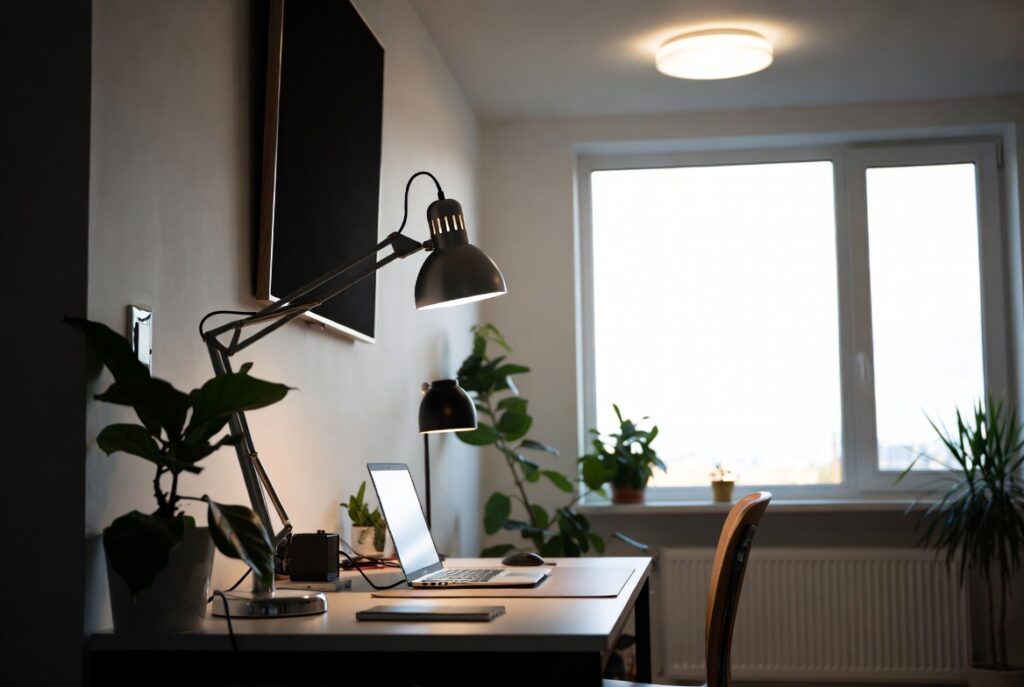
Best for: Every home office — poor lighting is the most common and most impactful home office problem
Home office lighting needs to serve three distinct tasks simultaneously: ambient illumination (enough general light to see the room comfortably), task lighting (bright, directed light for the desk surface and paperwork), and screen-compatible lighting (positioned to avoid glare on the monitor). Most home offices fail on at least one of these and are therefore uncomfortable for sustained work.
The most common failure: relying on a single overhead ceiling light that creates downward shadows on the desk surface and doesn’t provide adequate illumination for detailed work. Adding a quality desk lamp with an adjustable arm — positioned to illuminate the desk surface from the side without creating screen glare — solves the most common home office lighting problem immediately.
Smart tip: Use a desk lamp with an adjustable color temperature (warm white for morning and evening, cooler white for focused midday work) if your work schedule varies significantly. The ability to adjust light temperature throughout the day helps maintain alertness and reduces eye fatigue.
Mistake to avoid: Placing a desk lamp directly behind or beside the monitor where it creates glare on the screen. The lamp should illuminate the desk surface — the keyboard, the notepad, the documents — not the screen itself. Position the lamp to the side and slightly in front of the monitor’s plane.
5. Build a Dedicated Storage System
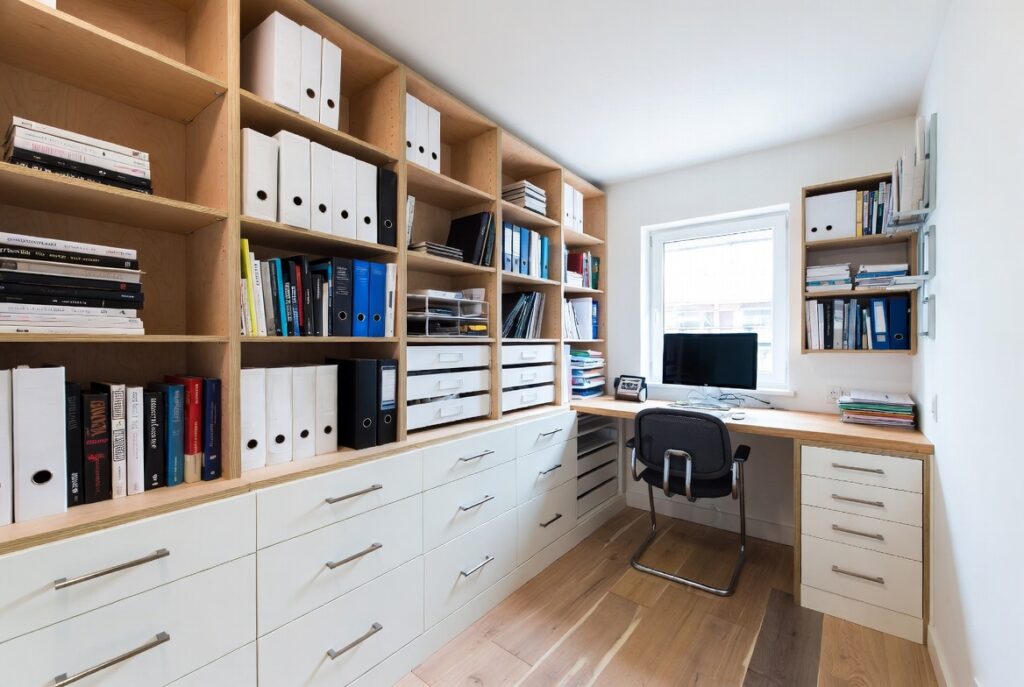
Best for: Any home office — inadequate storage is the primary cause of desk clutter and reduced productivity
A home office without adequate storage cannot stay organized. Every item that doesn’t have a designated place will end up on the desk surface — gradually accumulating until the work surface is too cluttered to work at effectively. The storage system must be designed around the actual items that need to be stored: documents, books, equipment, supplies, and the category that most home offices underestimate — cables, chargers, and accessories.
Storage tiers by frequency of use: daily-use items (pens, notepad, charger, headphones) in a desktop organizer or desk drawer within arm’s reach; weekly-use items (files, books, reference materials) on shelves within the room; monthly-use items (archived documents, supplies) in closed storage or filing cabinet; rarely-used items stored elsewhere entirely.
Smart tip: A filing system that requires less than 5 seconds to file or retrieve a document gets used consistently. A system that requires labeling, sorting, or searching gets abandoned quickly. Design your storage around the minimum friction necessary, not the maximum organization theoretically possible.
Mistake to avoid: Using the desk surface as a storage location. Items that “live” on the desk permanently — reference books, equipment, supplies — reduce the usable work surface and create a visual busy-ness that the brain registers as disorder, which reduces focus. Everything that doesn’t need to be on the desk during active work should have a home elsewhere.
6. Choose a Productivity-Boosting Color
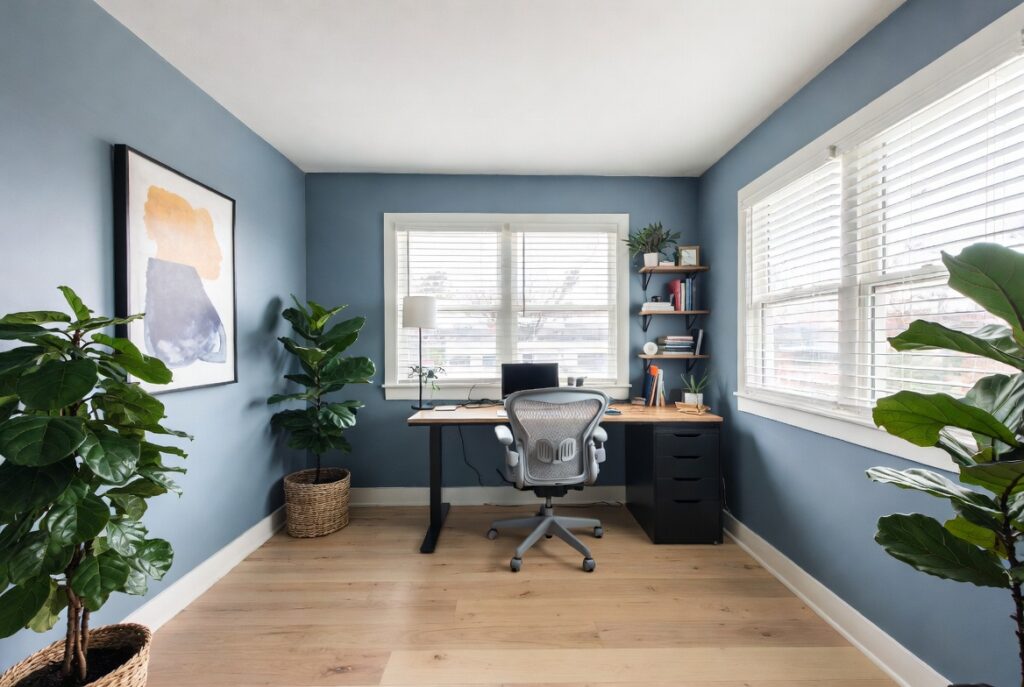
Best for: Anyone painting or decorating a home office — wall color affects mood and cognitive state measurably
Research on color psychology consistently shows that certain colors support focused, sustained work better than others. Green — particularly muted, natural greens like sage, forest green, or olive — is most consistently associated with calm focus, reduced eye fatigue, and a sense of being in a natural environment. Navy blue creates a focused, library-like atmosphere associated with serious, concentrated work. Warm neutrals (cream, warm white, soft taupe) provide a neutral foundation that doesn’t demand attention.
Colors to approach with caution in a work context: bright, fully saturated reds and oranges (stimulating to the point of agitation for sustained work); very pale blue-greys (can feel cold and draining over a full working day); pure bright white (can create visual fatigue in a room with strong light).
Smart tip: A deep green or navy accent wall behind the desk — visible when looking up from the screen — provides a visually restful focal point without requiring the entire room to be painted a dark color. The wall in your peripheral vision while working has more psychological impact than the wall behind you.
Mistake to avoid: Choosing a home office color based entirely on what you find visually attractive rather than on how it makes you feel after 4 to 6 hours in the room. Do a full-day test with large paint samples before committing — a color that looks beautiful for 10 minutes may feel oppressive or draining after a full working day.
7. Add a Sit-Stand Desk
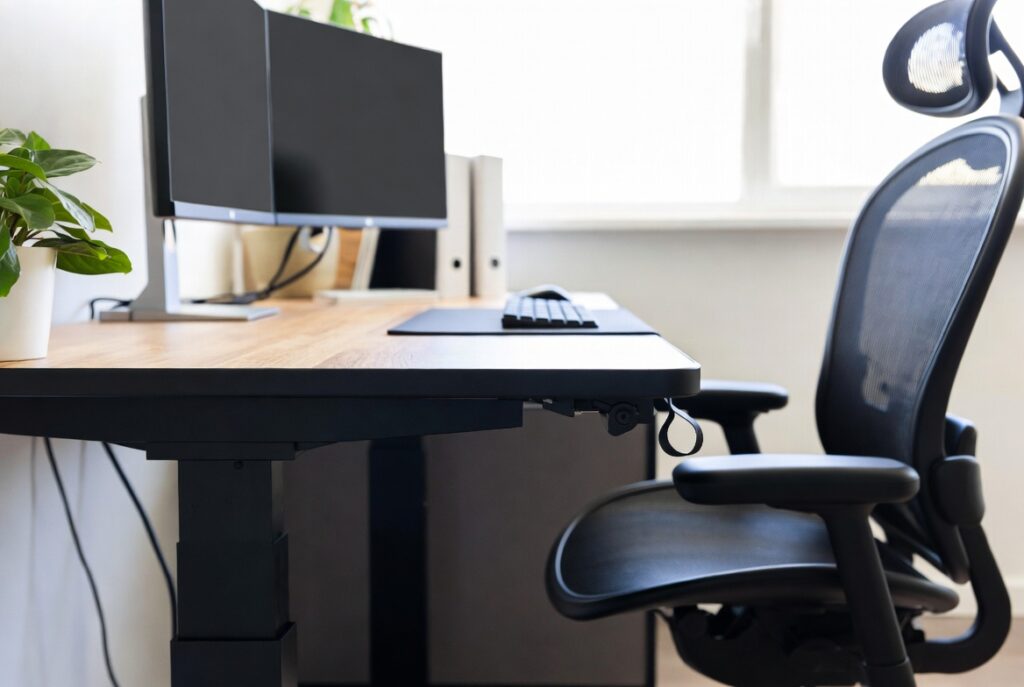
Best for: Anyone spending 6 or more hours per day at a desk — the most impactful ergonomic improvement available
Prolonged sitting is associated with increased health risk regardless of other exercise levels — research consistently shows that 8 hours of sitting creates health impacts that 30 minutes of exercise doesn’t fully offset. A sit-stand desk that allows alternating between seated and standing positions throughout the day addresses this directly.
The practical sit-stand protocol that most users find sustainable: sitting for 45 to 60 minutes, standing for 15 to 20 minutes, cycling through this pattern throughout the working day. The transition should be effortless — electric height-adjustable desks that move to preset heights with a button press make the transition convenient enough to actually happen consistently.
Smart tip: When standing at a sit-stand desk, the keyboard should be at a height where elbows are at approximately 90 degrees. Many people set the standing height too low, which creates shoulder and neck strain. Measure the correct standing height with your arms in the proper position before setting the desk height.
Mistake to avoid: Buying a sit-stand desk and standing all day. Standing continuously is almost as hard on the body as sitting continuously — it creates lower back strain, knee discomfort, and fatigue. The benefit comes from alternating between positions, not from replacing one static posture with another.
8. Create a Gallery Wall for Inspiration
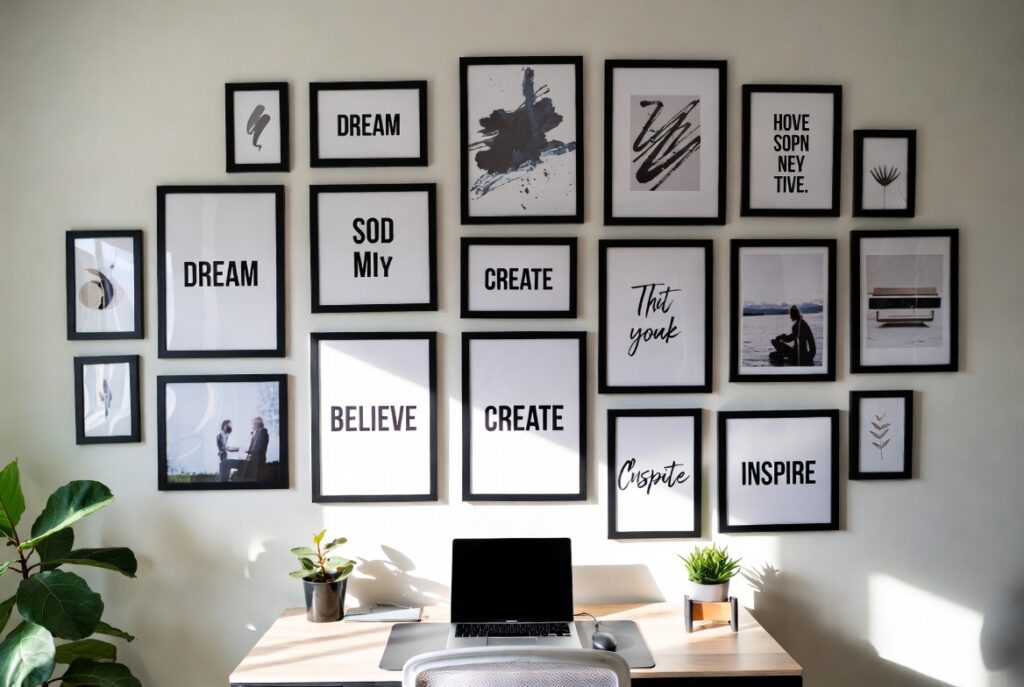
Best for: Home offices that feel impersonal or lacking motivation — visual environment affects creative work measurably
The wall visible from the desk during work — typically the wall facing the desk or the wall to one side — is the surface the eyes rest on during pauses, thinking moments, and breaks from the screen. Making this surface inspiring and personal improves the quality of those pauses and contributes to the sense that the office is a space designed for you specifically.
A gallery wall in a home office suits work-related inspiration (mood boards, maps, reference images), personal motivation (goals, quotes, meaningful photographs), or aesthetic pleasure (artwork, prints, travel photographs). The content matters more than the format — whatever genuinely engages and motivates the person working there.
Smart tip: Include a physical planning surface in the home office gallery wall — a corkboard section, a magnetic board, or a whiteboard panel — within the overall arrangement. The combination of inspiring visual content and functional planning surface on the same wall creates an efficient and motivating desk environment.
Mistake to avoid: Creating a gallery wall that’s so visually busy it becomes distracting rather than inspiring. A home office gallery wall should be restful during extended viewing — not demanding of constant attention. Simple prints, a few meaningful photographs, and clear space between elements suit a working environment better than a densely packed collage.
9. Manage Cables and Tech Clutter
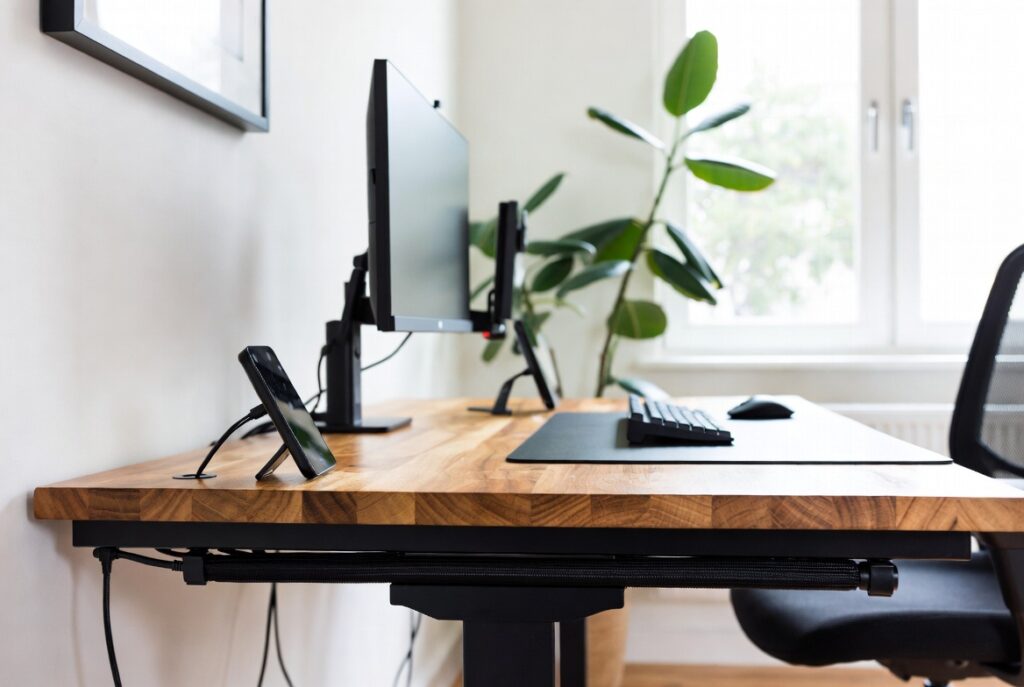
Best for: Any home office with multiple devices — cable clutter is the most visually distracting element of most home workspaces
Cable clutter is the single fastest way to make a home office look messy regardless of how well-organized everything else is. A tangle of power cables, monitor cables, and peripheral cables on and around the desk creates visual noise that the brain processes as disorder — with measurable effects on focus and satisfaction with the workspace.
Solutions by severity: a simple cable management box (hides a power strip and the cables connecting to it — the most impactful single purchase for cable management); cable clips and channels (route cables along desk and wall edges rather than hanging loose); a wireless keyboard, mouse, and charging pad (eliminates the most visible cables on the desk surface); a cable tray under the desk (holds cables and power strips out of sight beneath the work surface).
Smart tip: Manage cables once when setting up the office rather than repeatedly. Take 2 to 3 hours to run every cable properly — through channels, along walls, under the desk, tied neatly — so the setup is clean from the start. Cables managed once at setup never need managing again unless equipment changes.
Mistake to avoid: Adding new equipment to a home office setup without managing its cables immediately. Every new device added without cable management makes the overall situation incrementally worse. Manage cables for each new addition as it’s added, not in a future cleanup session that rarely happens.
10. Add Indoor Plants for Focus
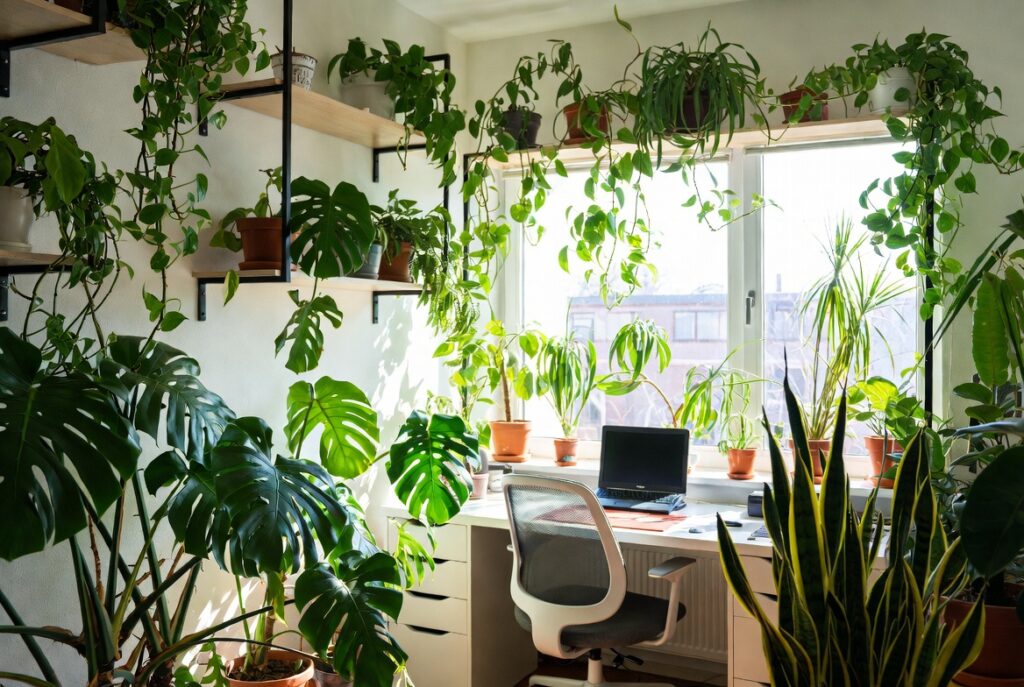
Best for: Any home office — plants improve air quality, reduce stress, and add the organic warmth that hard office surfaces lack
Multiple studies have found that plants in office environments measurably improve air quality by absorbing volatile organic compounds (VOCs) emitted by furniture, paint, and electronics — and that workers in offices with plants report lower stress levels and higher concentration. The effect is real and consistent enough to be worth acting on even without attributing it to any specific mechanism.
Best plants for a home office: snake plant (tolerates low light and irregular watering, good air quality improvement); pothos (grows quickly, tolerates neglect, trails attractively from a high shelf); ZZ plant (virtually indestructible in low light, looks polished); peace lily (one of the most effective air purifiers, tolerates shade); small succulents on the desk (require minimal care, provide close-range visual interest).
Smart tip: Position one plant in a prominent position — on the desk or directly beside it — where it’s visible during normal screen use. Close-proximity plants have more psychological impact than ones across the room. A small, well-chosen plant in an attractive pot on the desk corner is more effective than a large plant in a distant corner.
Mistake to avoid: Letting office plants die from neglect. A dead or dying plant in a home office creates a more depressing visual impression than no plant at all. Choose varieties with demonstrated tolerance for the specific light conditions and watering frequency you can realistically provide, rather than the plants that look best in design photographs.
11. Build a Home Office Nook
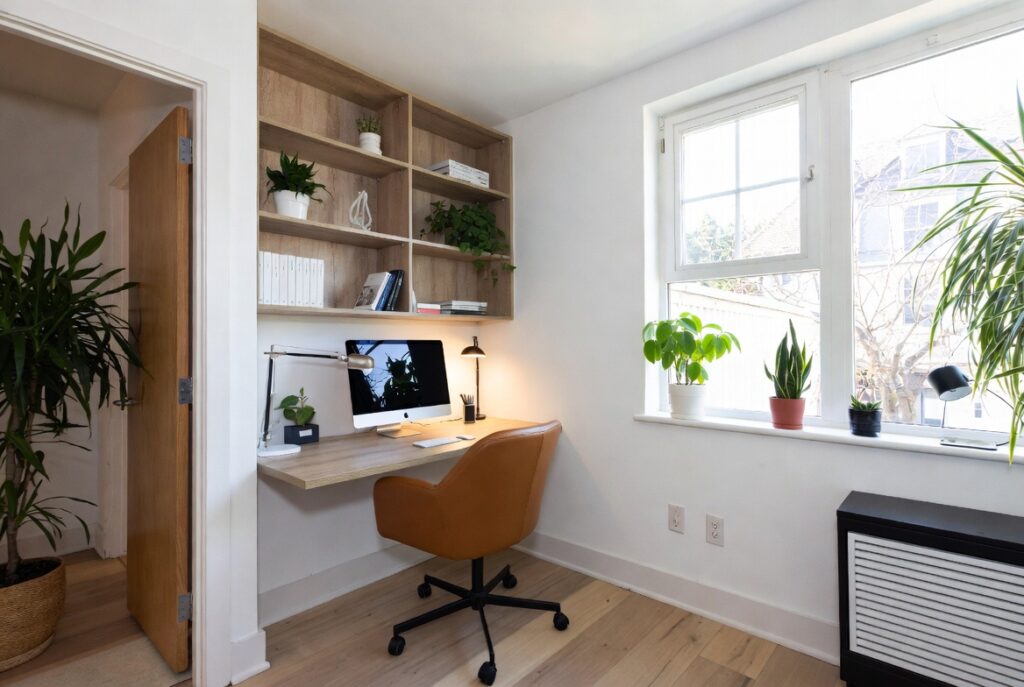
Best for: Homes without a dedicated office room — any space can become a functional work area with the right approach
A dedicated work nook — a defined area within a larger room or an underused space (under the stairs, in a closet, in a bedroom alcove) converted to office use — creates the psychological separation between work and home that a dedicated office room provides, without requiring a dedicated room.
The elements that make a nook feel like a proper office: a desk that fits the space without being crammed; adequate lighting (at minimum, a good desk lamp); storage for work materials; and a visual environment that reads as work-oriented rather than domestic.
Smart tip: A closet converted to an office nook — with the doors removed or replaced with a curtain — allows the office to be completely hidden when not in use. The ability to “close” the office at the end of the working day has significant psychological benefit for work-life separation in a home where the office is in a multi-use space.
Mistake to avoid: Creating a home office nook in the bedroom if at all avoidable. Research on sleep hygiene consistently shows that work equipment in the bedroom — even when not in active use — creates an association between the sleep environment and the alert, task-focused state of work. This association is linked to difficulty falling asleep and poorer sleep quality.
12. Use Built-In Shelving
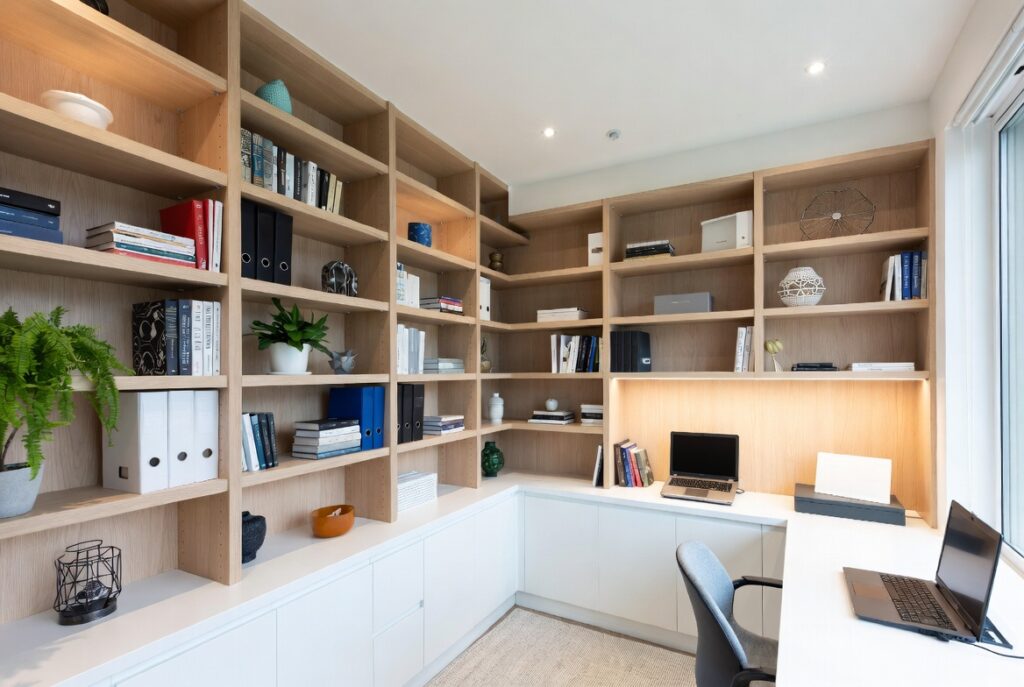
Best for: Dedicated home office rooms — built-in shelving is the highest-impact permanent improvement available
Built-in shelving — shelves constructed to fit the specific dimensions of a room, floor to ceiling on one or both sides of a window or door — provides storage capacity that no freestanding furniture unit replicates in the same footprint, while creating the library-quality visual atmosphere that makes a home office feel like a genuinely serious workspace.
The practical benefit is storage: floor-to-ceiling shelving in a 10-foot run provides approximately 80 to 100 linear feet of shelf space — enough for several hundred books plus files, equipment, and display objects.
Smart tip: Built-in shelving doesn’t require a professional cabinet maker. A carpenter using basic MDF or plywood with a painted finish can create convincing built-in shelving at a fraction of the cost of custom cabinetry. The key is accurate measurement, straight installation, and a good paint finish — all achievable by a competent general carpenter.
Mistake to avoid: Building shelves that are too deep for the room’s dimensions. Standard bookshelf depth is 10 to 12 inches — adequate for most books and objects. Deeper shelves provide more storage volume but push out further into the room and make items at the back of the shelf less accessible. Match shelf depth to the items being stored.
13. Set Up a Dual Monitor System
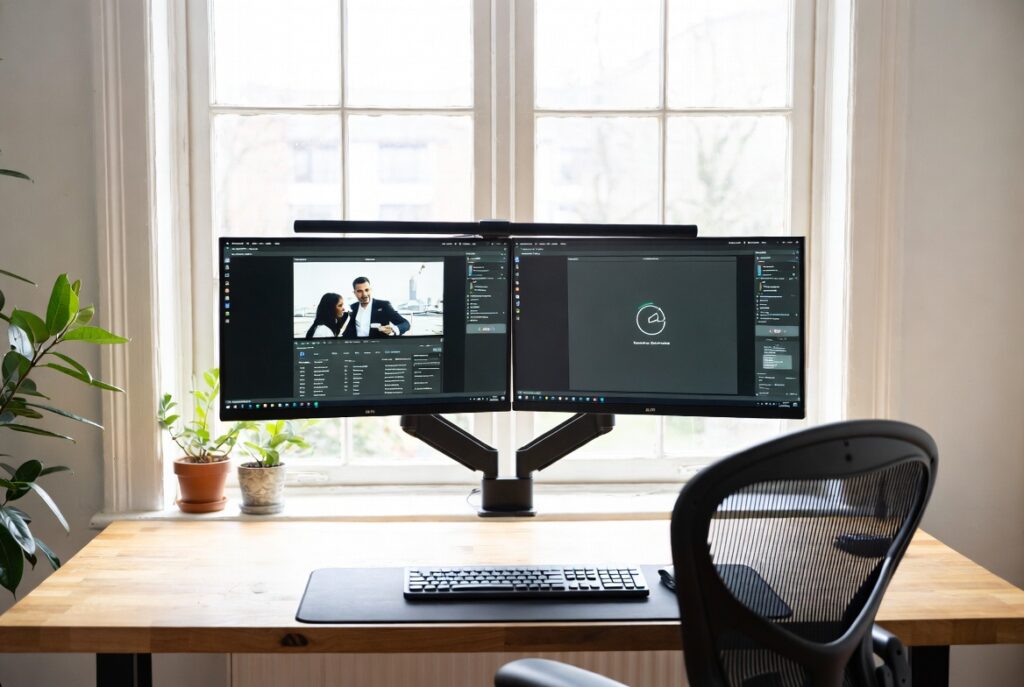
Best for: Anyone doing research, writing, design, data work, or any task that benefits from viewing multiple documents simultaneously
A second monitor is the single most impactful technology upgrade for productivity in most computer-based work. The ability to have a working document on one screen and reference material on another — or a video call on one screen and notes on another — eliminates the constant switching between windows that interrupts focus in a single-screen setup.
Studies of knowledge workers consistently show productivity improvements of 20 to 30 percent for dual monitor setups compared to single monitors for tasks involving reference work, multitasking, or complex document management.
Smart tip: Position dual monitors so that the primary monitor (the one you look at most) is directly in front of you, and the secondary monitor is to one side at approximately the same height. The secondary monitor should not require significant neck rotation to view — if it does, it will cause neck strain over a full working day.
Mistake to avoid: Using mismatched monitors of significantly different sizes or color temperatures. A 27-inch monitor beside a 24-inch monitor creates an asymmetric setup where the primary and secondary screens feel unbalanced. If adding a second monitor, choose one that matches or closely complements the primary monitor’s size and color rendering.
14. Add a Reading or Break Corner
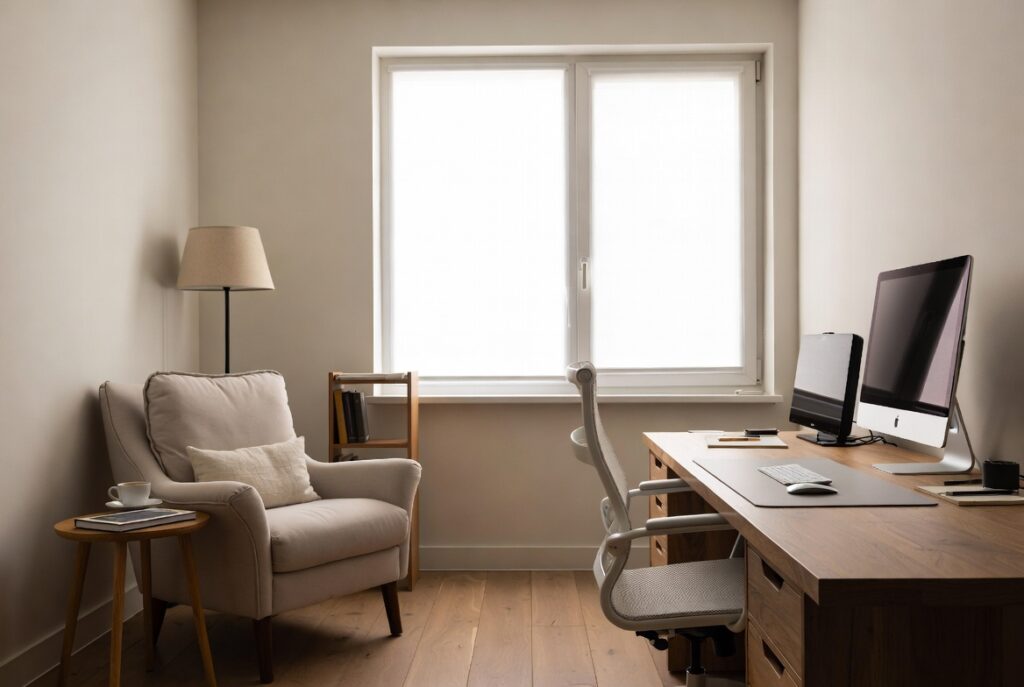
Best for: Home offices with adequate space — a break area within the office improves sustained productivity
A comfortable reading chair or small sofa within the home office serves as a designated break space — a place to read physical documents, review printed materials, or simply rest away from the desk without leaving the office. The psychological benefit of changing physical position and visual environment for breaks is well-documented: brief breaks taken in a different position in the same space improve sustained concentration more than staying at the desk.
The break corner also provides informal seating for colleagues or collaborators visiting the home office — making the space functional for meetings and conversations that the desk-only setup can’t accommodate.
Smart tip: A reading corner with a small side table and a good lamp becomes the space where physical reading — books, printed reports, annotated documents — happens most effectively. The combination of comfortable seating, task lighting, and a surface for notes creates the conditions for deep reading that the desk rarely provides.
Mistake to avoid: Using the break corner for work. A break corner that becomes a second workspace loses its psychological function as a recovery space. The chair should be reserved for non-screen, non-work-intensive activities — or genuinely restorative breaks — not for working with a laptop in a more casual position.
15. Control Sound and Acoustics
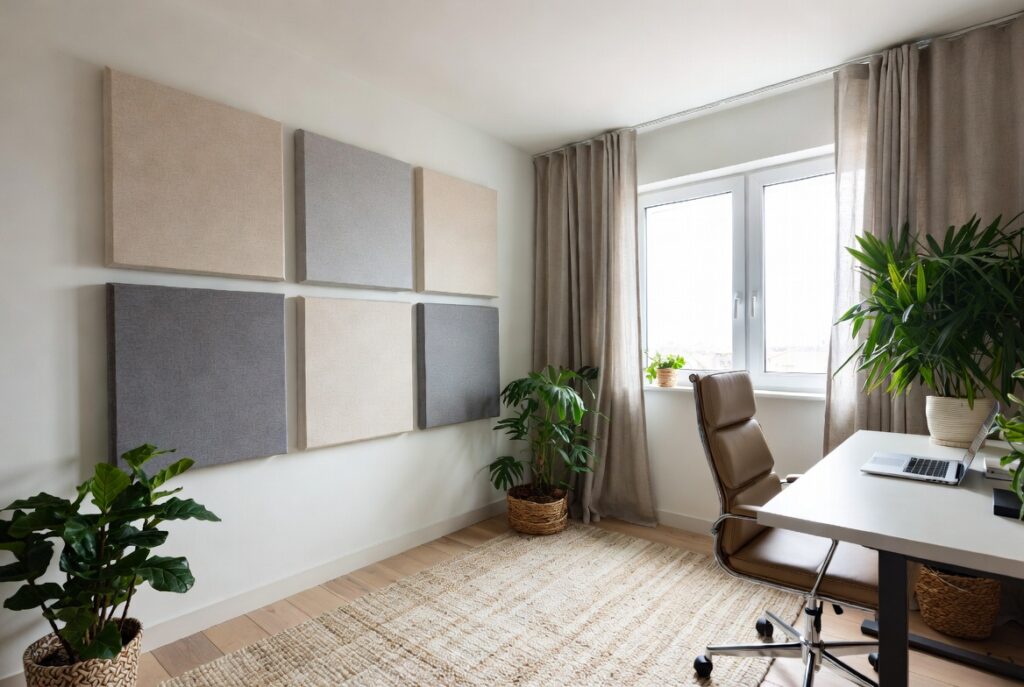
Best for: Home offices in busy households or open-plan homes — acoustic control significantly affects sustained concentration
Unwanted sound is one of the most significant productivity inhibitors in a home office environment. The sound of household activity — conversation, television, children, appliances — is particularly disruptive because it’s unpredictable and cognitively intrusive in a way that consistent background sound is not.
Solutions by approach: acoustic panels on the wall (absorb rather than reflect sound within the room, reducing echo and improving speech intelligibility in video calls); a solid door (the most effective barrier against incoming sound — hollow-core interior doors provide minimal sound isolation); a white noise machine (creates consistent masking sound that makes variable household noise less intrusive); or noise-cancelling headphones (the fastest and most effective solution for individual use).
Smart tip: Acoustic panels don’t need to look institutional. Fabric-covered acoustic panels in neutral or on-brand colors, or panels with printed artwork, provide meaningful sound absorption while looking like intentional wall decor. Position them on the wall behind the desk (improving the acoustic environment for video calls) and on one or two side walls.
Mistake to avoid: Relying entirely on headphones for acoustic control without addressing the room’s basic acoustic properties. Headphones are effective for one person but don’t improve the acoustic quality of video calls for other participants. A room that echoes and reverberates sounds poor on video calls regardless of how good the speaker’s headphones are.
16. Personalize Without Cluttering
Best for: Any home office that feels impersonal or unmotivating — personal touches affect daily engagement with the space
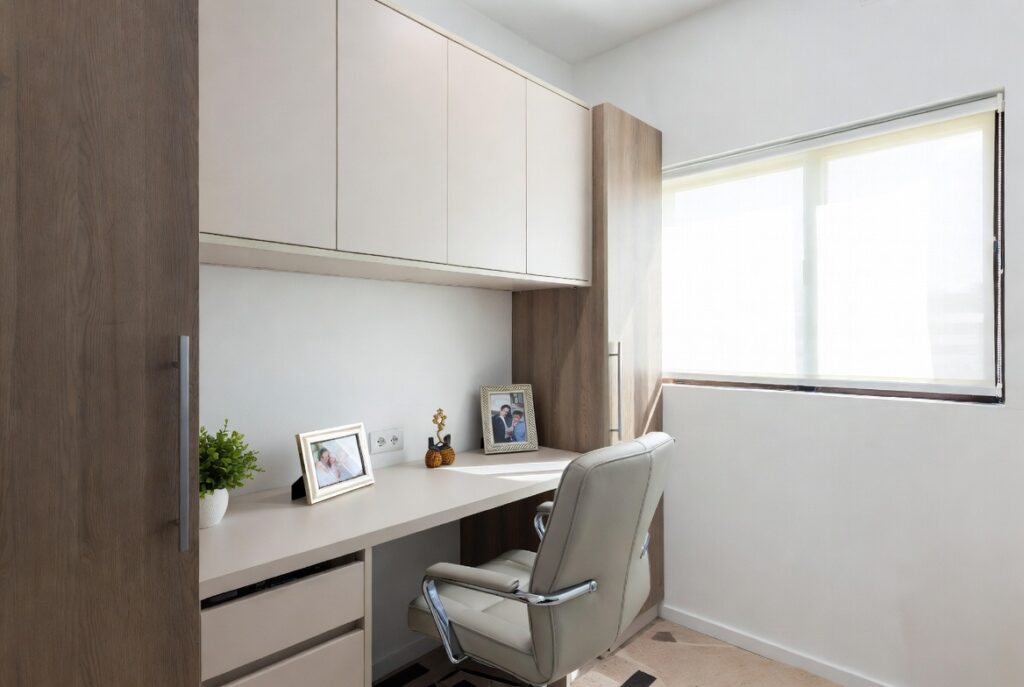
A home office that feels like it belongs to you — that reflects your interests, tastes, and working style — is more pleasant to spend time in and more motivating to return to each morning than one that feels generic or provisional. The key is calibrating personalization: enough to create genuine character, not so much that the space becomes visually noisy or cluttered.
Effective personalization: one piece of artwork that you find genuinely inspiring (not just decorative); a few meaningful objects (a gift, a travel souvenir, a book that matters) in a visible position; a plant chosen and positioned deliberately; and a color scheme that reflects your aesthetic rather than the default office beige.
Smart tip: Limit desk personalization to three items maximum. The desk surface is a work surface — objects on it should either function (lamp, monitor, keyboard) or inspire without distracting. Three deliberate personal items (a photograph, a small plant, one object) create personality without clutter.
Mistake to avoid: Personalizing with so many objects that the home office begins to accumulate rather than be curated. Each addition to the home office should be actively chosen — brought in deliberately because it serves a purpose (functional, inspirational, or meaningful). Items that arrive and stay by default — gifts, accumulated objects, things without a better home — should be actively evaluated and either given a deliberate place or removed.
17. Create a Video Call Background
Best for: Anyone using video conferencing regularly — the background visible on calls affects professional impression
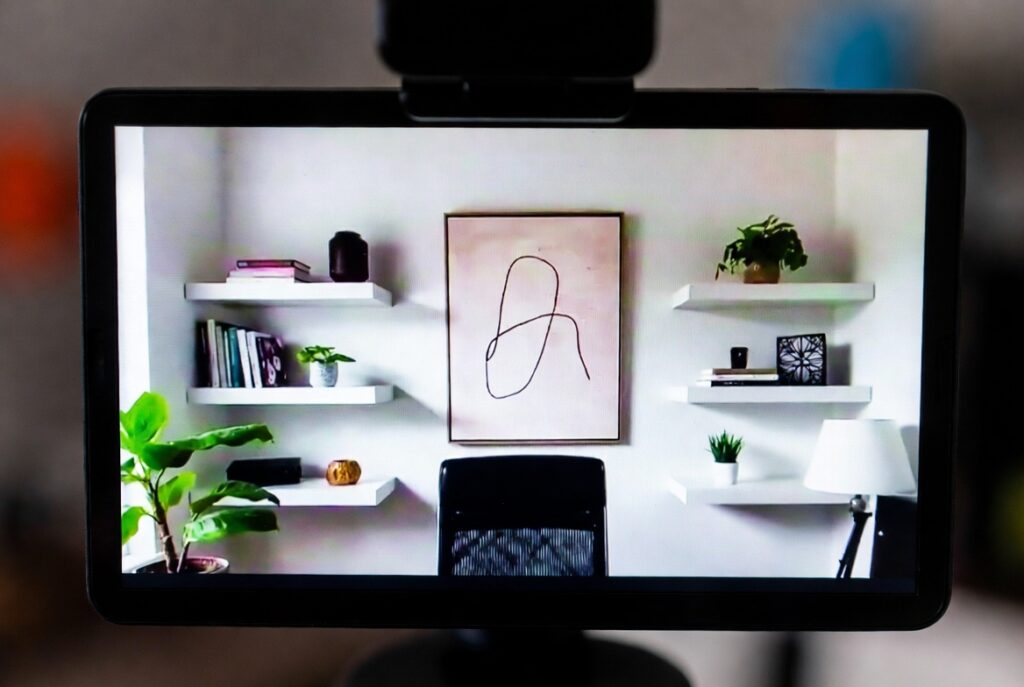
The wall visible behind you during video calls is the first thing other participants notice and it communicates something about the space and, by extension, about you. A blank white wall reads as provisional. A thoughtfully composed background — a bookshelf, a plant, some well-chosen artwork — reads as considered and professional.
The most effective video call backgrounds: a well-organized bookshelf (the universal signal of seriousness and thoughtfulness); a simple, clean wall with one piece of artwork; or a combination of plant and neutral background that reads as intentional without being distracting.
Smart tip: Check your video call background by actually opening your camera software and looking at what’s visible. The field of view of most laptop and webcam cameras is wider than you expect — things you assume are out of frame often aren’t. Know exactly what’s visible and arrange it deliberately.
Mistake to avoid: Using a virtual background to cover a genuinely messy or inappropriate physical space. Virtual backgrounds — particularly the blurred or replaced environment options — have improved but still look unconvincing in variable lighting and movement conditions. An actual clean, composed physical background is significantly more professional than even the best virtual replacement.
18. Use a Dark and Moody Aesthetic
Best for: Home offices where the atmosphere of focus and depth is more important than brightness
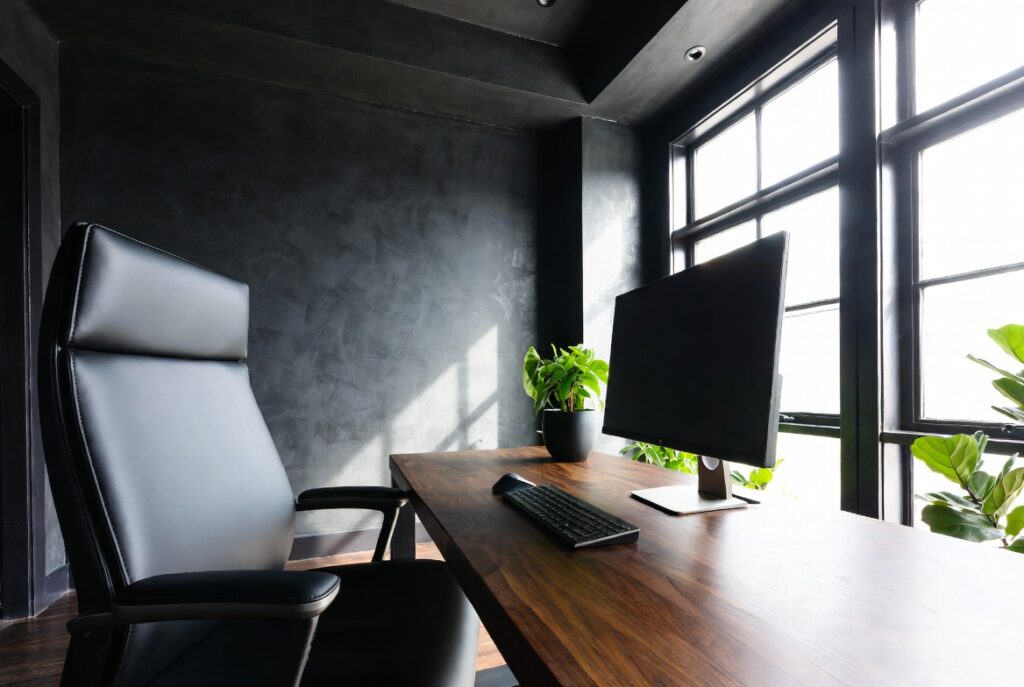
A dark home office — deep navy walls, forest green, charcoal, or near-black — creates an environment of focused intensity that some people find genuinely more conducive to sustained, serious work than a light-toned office. The library or study quality of a dark-walled office has a long tradition in intellectual and creative work environments.
The same visual logic that makes dark bedrooms feel restful makes dark offices feel focused — the reduced visual stimulation of dark surfaces allows concentration to remain on the work rather than the environment.
Smart tip: A dark home office requires excellent task lighting — a quality desk lamp becomes more important, not less, in a dark room. The contrast between the warm light of the desk lamp and the dark walls creates a highly focused pool of light on the work surface that many people find ideal for concentrated work.
Mistake to avoid: Creating a dark home office without adequate ventilation and physical comfort. A dark, enclosed space with poor air circulation can feel claustrophobic rather than focused after extended periods. Ensure the dark office has adequate natural or mechanical ventilation and comfortable temperature control.
19. Small Space Home Office Solutions
Best for: Apartments, small homes, or any situation where a dedicated office room isn’t available
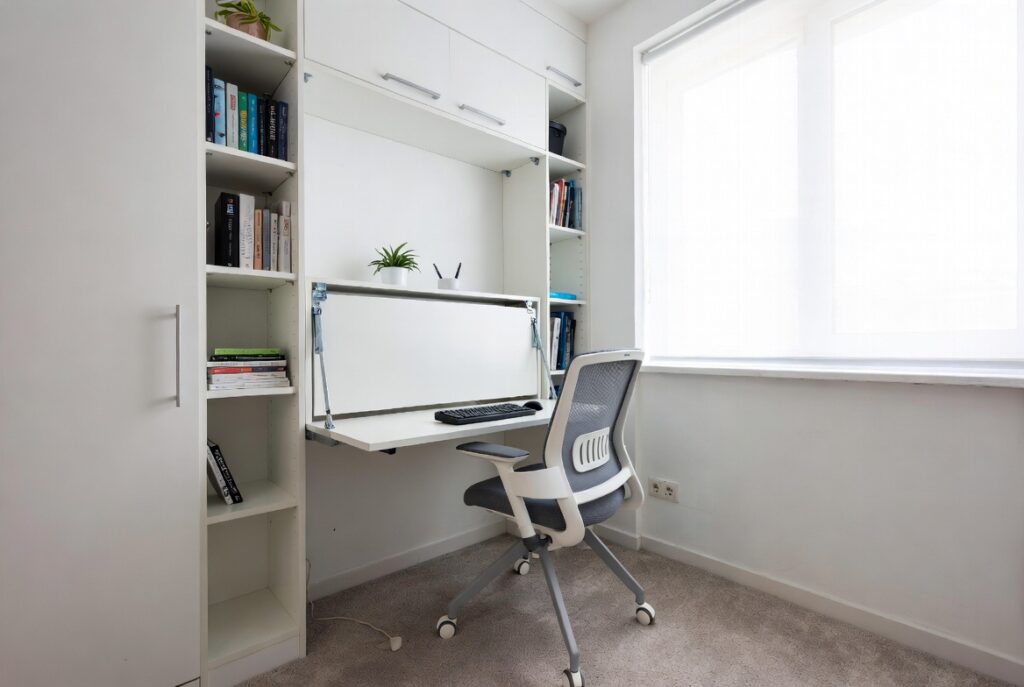
A full home office in a small space requires making every element count — choosing furniture that serves multiple functions, maximizing vertical storage, and keeping the desk surface clear enough to work at effectively.
The most space-efficient home office approaches: a wall-mounted fold-down desk (folds flat against the wall when not in use, occupying no floor space); a desk in a closet (open during work hours, closed when done); a desk that doubles as a console table when not in use; or a corner desk that uses space that’s otherwise difficult to furnish.
Smart tip: In a small space, a wall-mounted monitor arm (replacing a monitor stand) frees up 8 to 10 inches of desk depth — meaningful in a small setup. A keyboard tray under the desk surface frees up the desk surface when not in use. Both adjustments together can recover 20 to 30% more usable desk area.
Mistake to avoid: Trying to fit a full-size desk in an inadequate space. A desk crammed into a space too small for it creates a workspace that feels uncomfortable and cramped every time it’s used. A smaller desk that fits properly — with adequate clearance for the chair, the user’s elbows, and a clear path out of the space — is significantly more functional than a larger desk that fills the space beyond comfort.
20. Separate Work from Home Life
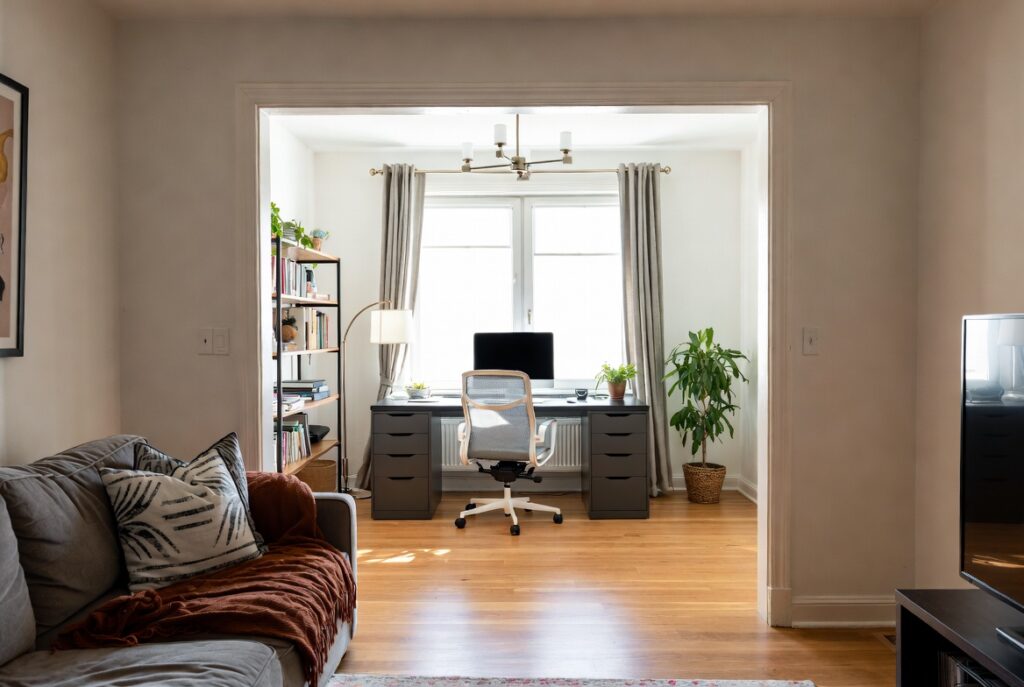
Best for: Every home office worker — the psychological separation between work and home is the most important non-physical element of home office design
Working from home collapses the physical separation between work and domestic life that a commute previously provided. Without deliberate design choices, the home office becomes a space that’s never quite work and never quite home — and the boundary between the two erodes in ways that affect both work quality and personal wellbeing.
Physical design choices that support separation: a door that closes (even symbolic closure matters); a space that’s visually distinct from the home’s domestic areas; a dedicated work setup that’s not used for leisure activities; and a clear physical starting and ending ritual (turning on a specific lamp, opening a specific notebook) that signals the transition between work mode and home mode.
Smart tip: End the working day with a brief “shutdown ritual” — a consistent sequence of actions (reviewing tomorrow’s priorities, closing files, tidying the desk, turning off the work lamp) that signals to the brain that work is done for the day. The ritual is the psychological equivalent of leaving the office building — it creates the transition that remote work otherwise lacks.
Mistake to avoid: Using the home office computer for leisure activities. The same screen, desk, and chair used for 8 hours of work should not ideally be used for evening entertainment — it prevents the psychological separation that restores energy and enthusiasm for the next working day. A separate device, or at minimum a separate user profile, for personal use helps maintain the distinction.
Before You Start
- Identify the primary activities. A writer’s office needs different lighting, surface area, and storage from a designer’s or an accountant’s. Know specifically what work happens in the space before choosing furniture or layout.
- Measure before ordering anything. Desks, chairs, and storage units that look right in photographs often don’t fit the actual space or work correctly with the existing elements.
- Prioritize ergonomics over aesthetics. An office that looks beautiful but causes back pain or eye strain fails at its primary function. Ergonomics is the foundation; aesthetics is what’s built on top of it.
- Test the lighting before committing. Lighting that seems adequate for one hour may be insufficient for eight. Spend a full working day with any lighting arrangement before concluding it’s adequate.
Conclusion
A home office that works is one where the physical environment actively supports the kind of work that happens there — where ergonomics are right, lighting is adequate, storage is sufficient, and the visual environment is calm enough to sustain concentration. None of these qualities requires expensive equipment or extensive renovation. They require deliberate decisions made in the right order: ergonomics first, lighting second, storage third, and aesthetics fourth. Get the foundation right and the aesthetics will follow naturally.
Continue Your Home Transformation
Explore the full collection of step-by-step eBooks and get the guide that fits the room you're working on.